
How to track browser extension uninstalls and ask users why they left
runtime.setUninstallURL is the only signal a browser gives you when your extension is removed. How it works, where it stays blind, how to add an uninstall survey, and how to read silent churn.
Updated November 20, 2026 · 5 min read · Markdown version
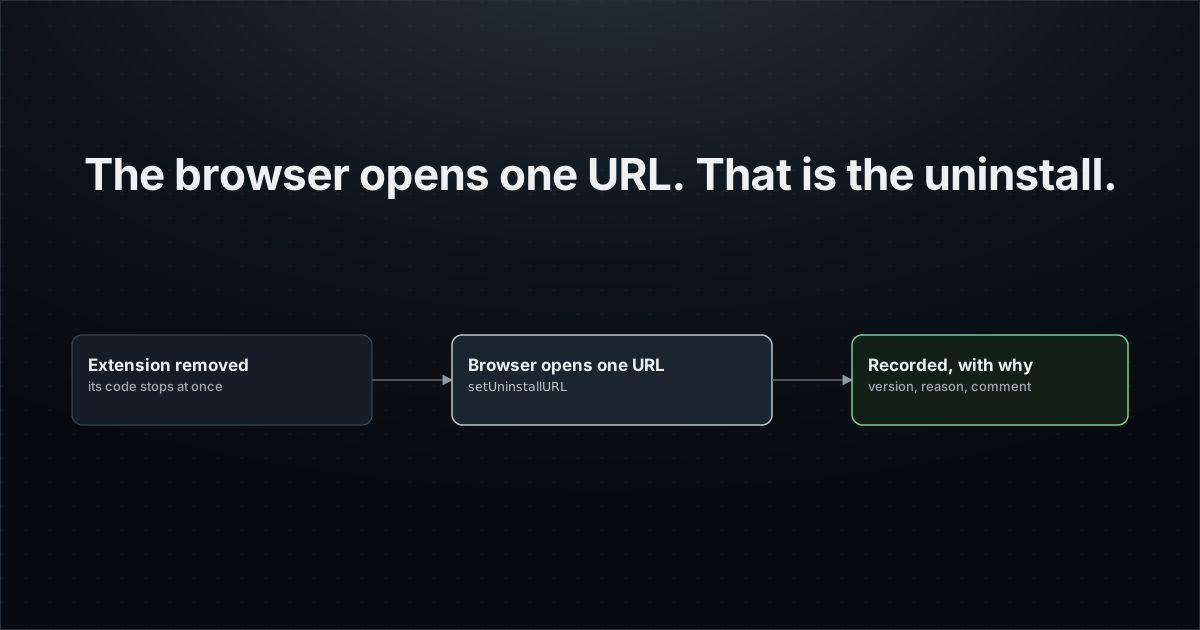
The store dashboard tells you, days later and rounded, that you lost some users. It does not tell you which version they ran, how long they stayed, or why they left. And when an extension is removed, its code stops at once: there is no event you can catch.
There is one mechanism, built into Chrome, Edge and Firefox. This guide shows how it works, how to use it without being fooled by fake hits, how to ask for a reason, and what to do about the uninstalls it will never see.
How uninstall tracking works
While your extension is installed, it calls chrome.runtime.setUninstallURL(url). The browser stores that URL. When the user removes the extension, the browser opens it in a new tab. Your server sees a visit: that visit is the uninstall.
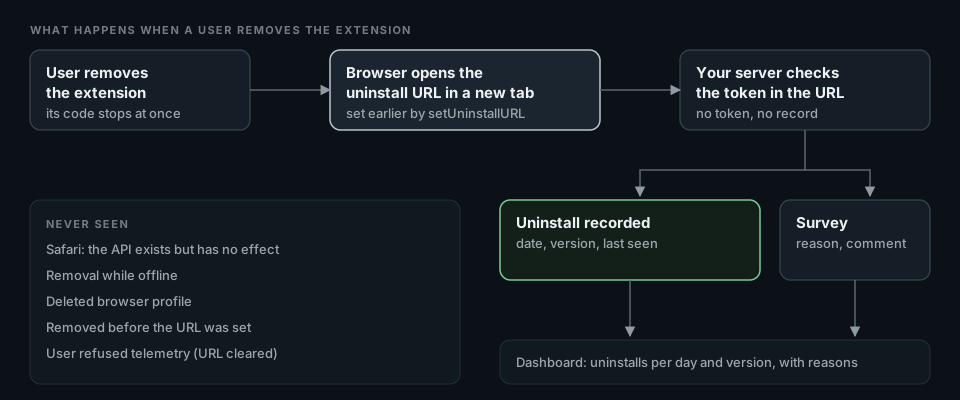
Chrome's reference describes the purpose in its own words: the URL can be used to clean up server-side data, do analytics and implement surveys. The rules that matter:
- One URL per extension. Each call replaces the previous one, so two libraries that both set it overwrite each other.
- At most 1023 characters, and
http:orhttps:only. Before Chrome 115 and Firefox 116 the limit was 255. - An empty string means no tab opens on removal.
- Your code does not run at removal time. Whatever the server needs (an installation id, the version, a token) must be in the URL already.
Doing it yourself
A minimal setup sets the URL on install and keeps it current. Add a token your backend issued to this installation, otherwise anyone who guesses the URL format can record fake uninstalls.
// background.ts
chrome.runtime.onInstalled.addListener(() => void refreshUninstallUrl());
chrome.runtime.onStartup.addListener(() => void refreshUninstallUrl());

async function refreshUninstallUrl() {
  // Your own function: returns the id and token your backend issued.
  const { installationId, token } = await getRegisteredInstallation();
  const url = new URL("https://api.example.com/uninstalled");
  url.searchParams.set("id", installationId);
  url.searchParams.set("t", token);
  url.searchParams.set("v", chrome.runtime.getManifest().version);
  await chrome.runtime.setUninstallURL(url.toString()); // 1023 characters at most
}// GET /uninstalled on your server
export async function GET(request: Request) {
const params = new URL(request.url).searchParams;
const installation = await findInstallation(params.get("id"));
if (!installation || !tokenMatches(installation, params.get("t"))) {
return new Response("Not found", { status: 404 });
}
await markUninstalled(installation.id, params.get("v")); // idempotent: the tab can be reloaded
return renderSurvey(installation.id);
}That is the whole mechanism. The work is in the details: issuing tokens, refreshing the URL when its content changes, keeping the record idempotent, and building a survey page people actually answer.
What setUninstallURL never sees
| Situation | What happens |
|---|---|
| Safari | The API exists but has no effect, on macOS and iOS (MDN compatibility data). |
| Removal while offline, or a deleted browser profile | The tab never reaches your server. |
| The user closes the tab at once | The visit counts if the page started loading. The survey answer is lost. |
| The URL was never set | The extension was removed before your code set it, or it failed before the call. |
| Telemetry refused by the user | You should not set an identifying URL. The Extension Report SDK clears it. |
So uninstall counts are a floor, not a total. To see the rest, look at activity instead: an installation that sent a heartbeat every day and then stopped is gone or dormant, whatever the uninstall URL says.
Asking why: the uninstall survey
The tab that opens is your one chance to ask. Keep it to one click: a short list of reasons, an optional comment, and nothing to sign in to. People who removed your extension owe you nothing.
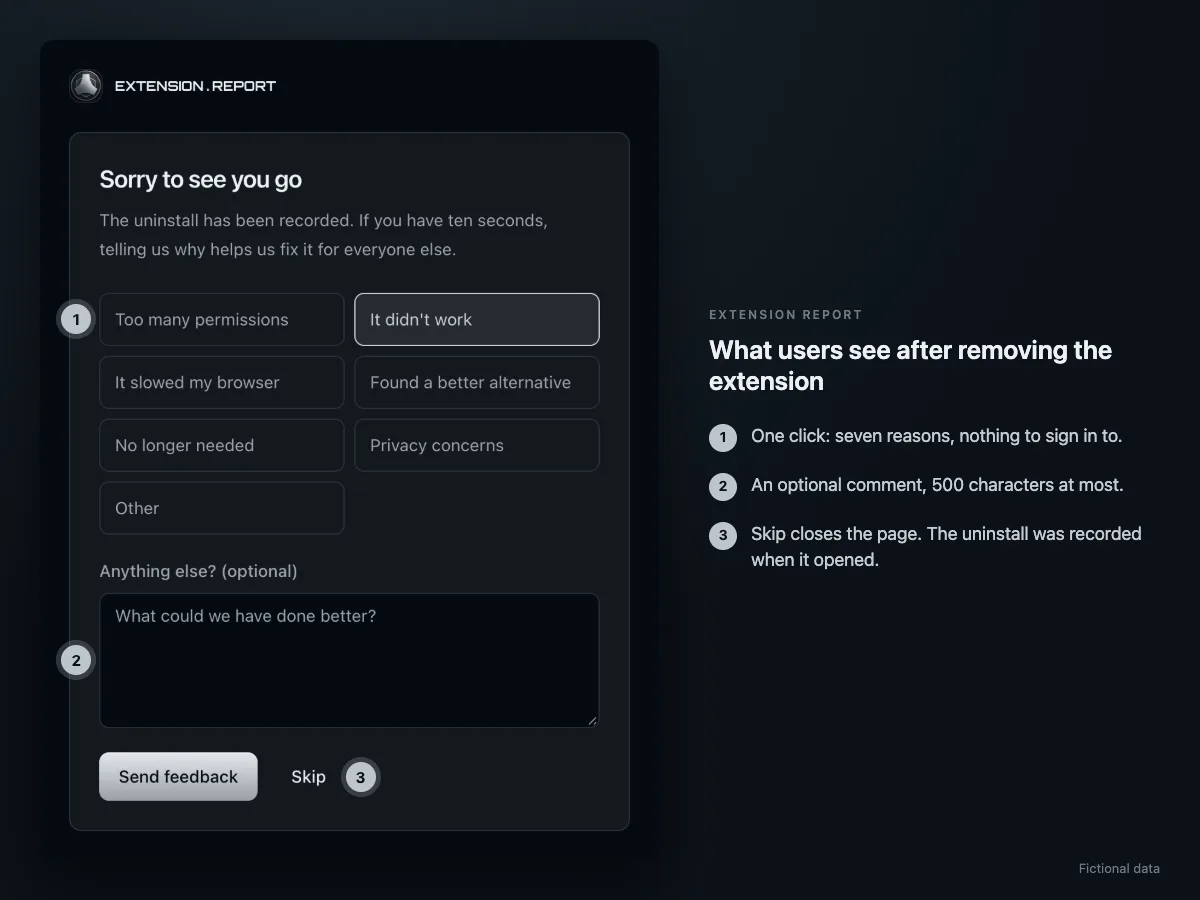
Extension Report's page offers seven reasons: too many permissions, not working, slowed the browser, found an alternative, no longer needed, privacy concerns, and other, plus a comment of up to 500 characters. Each answer is stored with the uninstall it belongs to.
With Extension Report: nothing to build
The SDK owns the uninstall URL. After its first accepted batch, it sets https://extension.report/u?... with the installation id, a token issued by the server, the version and the last-seen date, and refreshes it when the worker wakes so the last-seen date stays current. The page checks the token before it records anything.
import { initExtensionReport } from "@extension-report/js";

export const sdk = initExtensionReport({ projectPublicKey: "pk_er_..." });
// Uninstall tracking is on. Do not call runtime.setUninstallURL yourself:
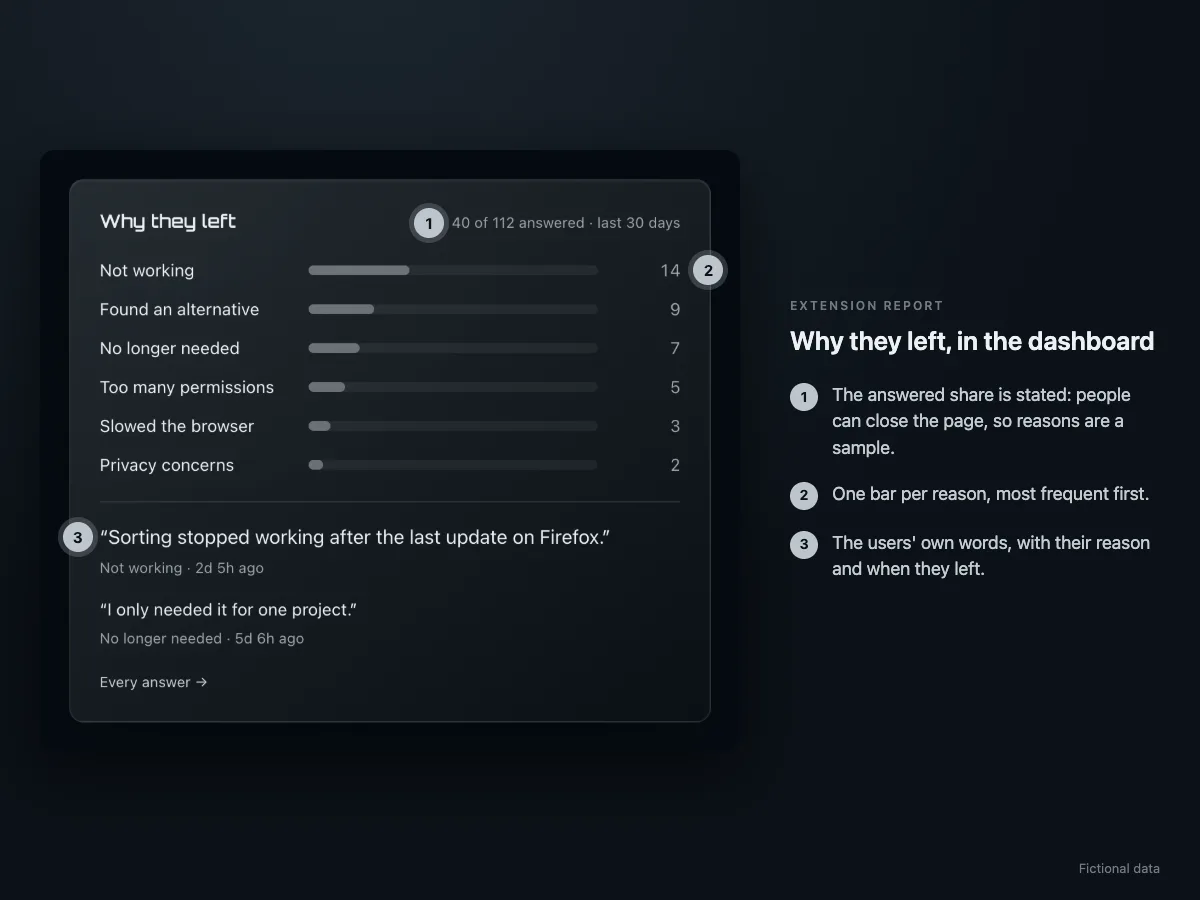
// the SDK owns the single URL, and a second call would replace it.- Uninstalls per day and per version, with the time each installation lived.
- Reasons and comments from the survey page.
- Installations alive today and in the last 7 days, from the daily heartbeat, and the ones at risk of going quiet.
- If your backend needs to react (free a license seat, stop emails), a signed webhook for each uninstall. See Free a license seat when a user uninstalls your extension.
Do it with your AI agent
Let your agent set it up while you read the next guide.
Paste the request below into Claude Code, Codex or Cursor. Your agent connects to Extension Report through MCP, creates your account and the project, installs the SDK in your code and checks that events arrive. You sign in once and approve access. Extension Report never sees your code: the agent edits it on your machine.
1. Connect https://mcp.extension.report
claude mcp add --transport http extension-report https://mcp.extension.report
codex mcp add extension-report --url https://mcp.extension.report
2. Ask your agent
Add uninstall tracking to this extension with Extension Report. Follow https://extension.report/docs/agents.txt.
The full playbook your agent follows: /docs/agents.
Prefer to do it yourself?
Free plan: 1 extension, 1,000 monthly active users, 30-day history.