
How to get users on your new Chrome extension version faster
Your fix is live on the Chrome Web Store, but users keep running the broken version for hours. Why browsers update extensions slowly, and how to ask installed copies to fetch the published version now, with a pilot first.
Updated November 21, 2026 · 5 min read · Markdown version
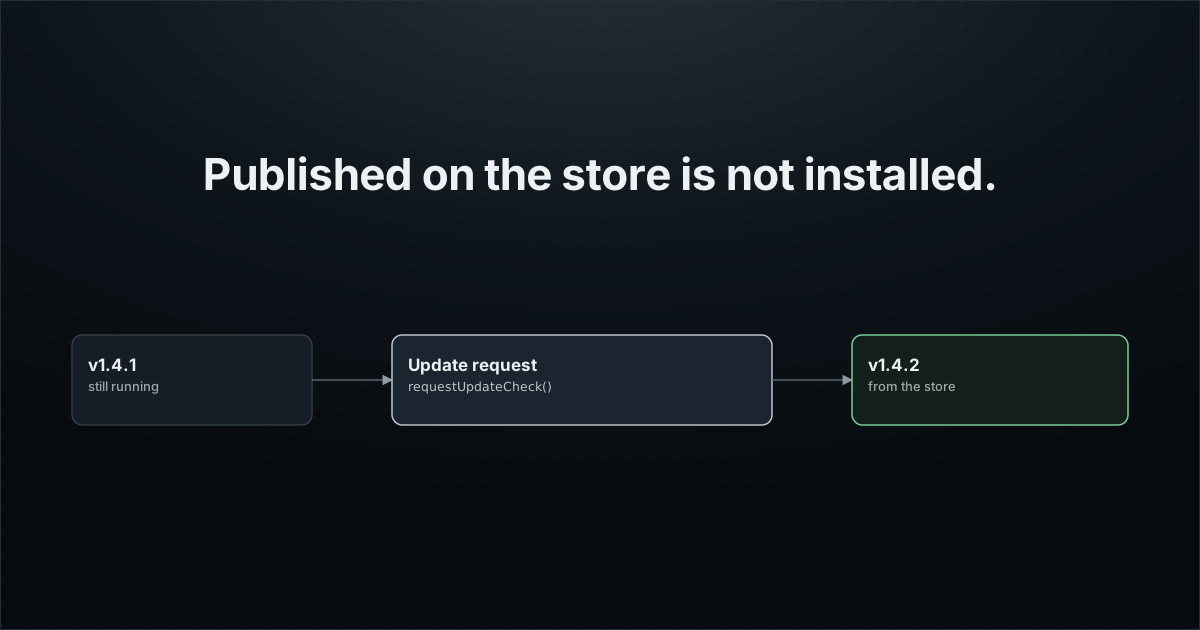
You shipped a bug. The fix passed review and the store shows the new version. Yet the errors keep coming, because most of your users still run the old one. Nothing is wrong with the store: browsers simply do not fetch extension updates the moment they are published.
This guide explains when a browser actually updates an extension, and how Extension Report's release update requests ask installed copies to check the store now, starting with a pilot group. It cannot make the store review faster. It shortens what comes after.
Why your fix does not reach users right away
Two delays add up. First the store review: Chrome says most reviews finish within a few days but can take up to a few weeks, and Microsoft gives up to seven business days for an Edge update. Nobody can shorten that part for you.
Then the browser. Chrome checks for extension updates on startup and every few hours. When it finds one, it installs it only once the extension is idle, which in Manifest V3 mostly means the service worker is not running. If the worker never goes idle, the update waits until the browser restarts.
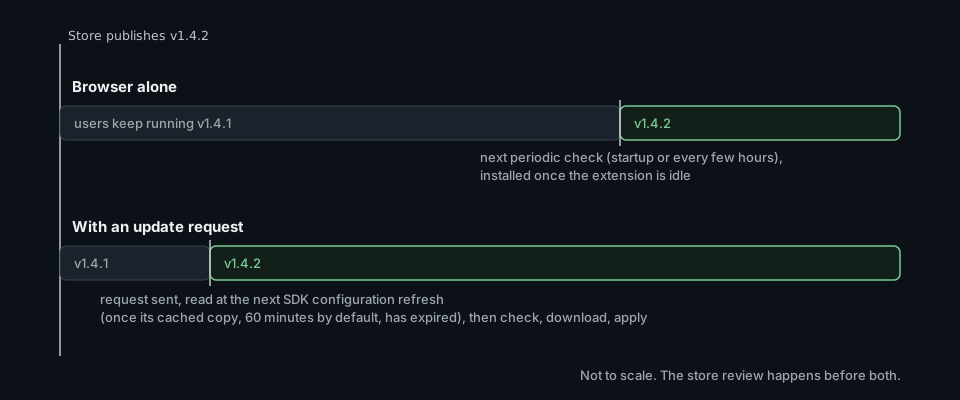
How a release update request works
The browser already has everything needed to update an extension on demand. Chrome and Edge expose runtime.requestUpdateCheck(), and Chrome, Edge and Firefox fire runtime.onUpdateAvailable once a new version is downloaded. What is missing is someone telling the installed copies that now is the time. That is the request.
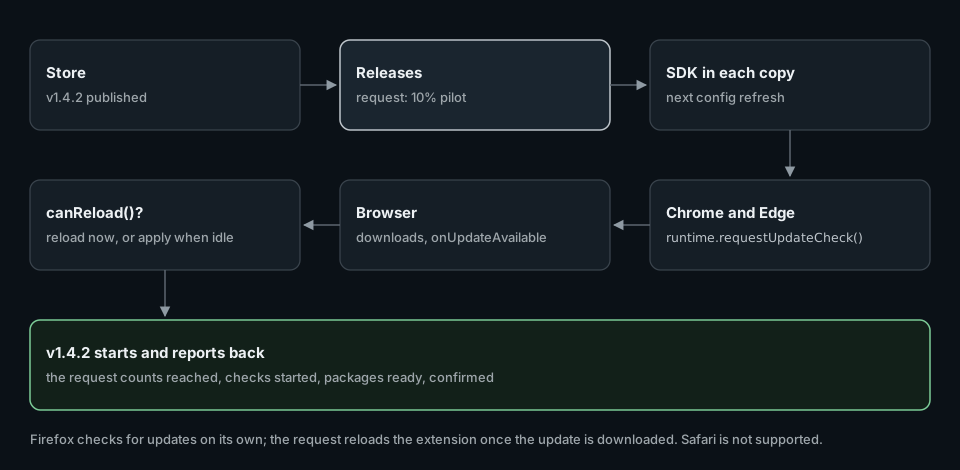
- The store publishes the new version. Extension Report reads it from your connected store listing.
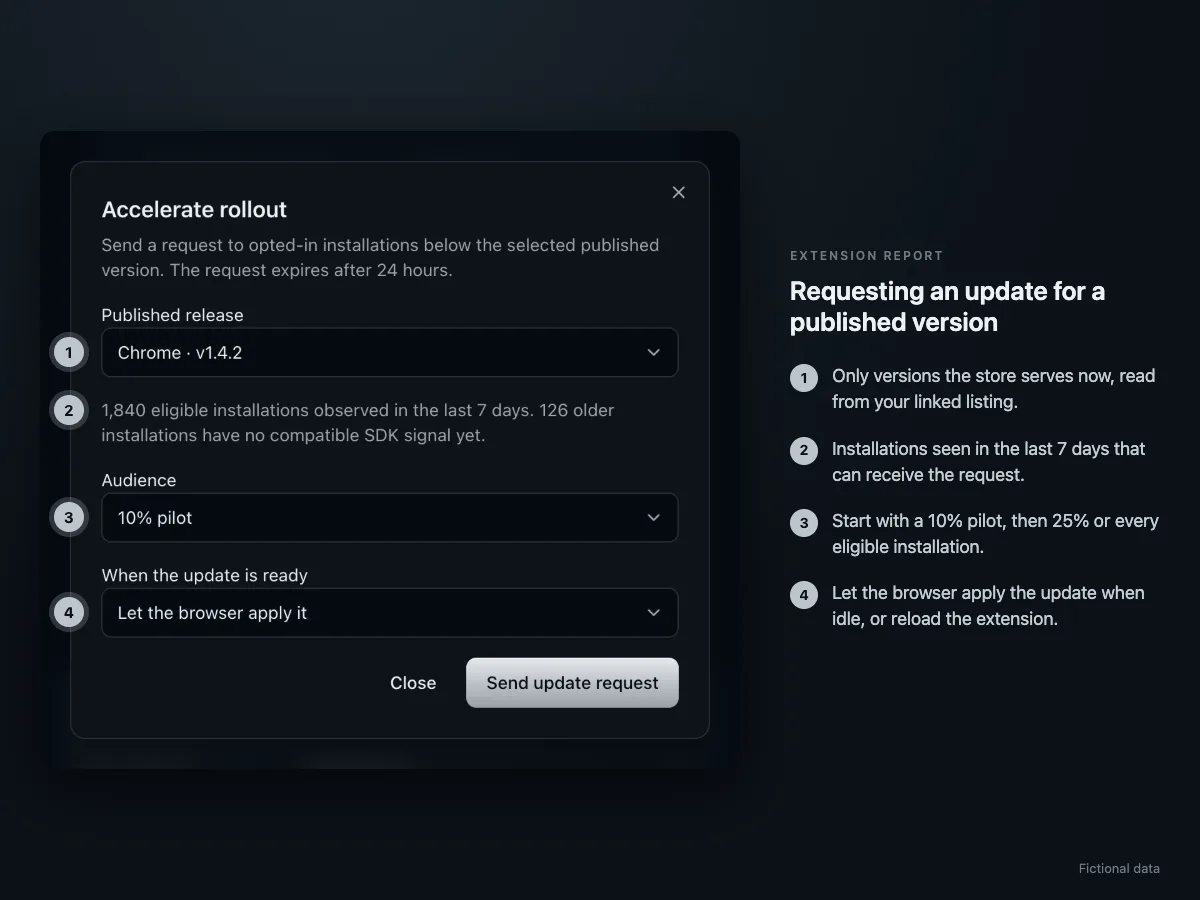
- In Releases, you choose that version, an audience (10% pilot, 25%, or all eligible installations) and what happens once the update is downloaded. A coding agent connected through MCP can do the same with
request_release_update. - Installed copies running SDK 0.6.7 or later, with the option enabled, read the request a few seconds after they next send events: creating or stopping a request changes the project's configuration version, and the SDK reloads its configuration as soon as an ingestion response carries a new version. A copy that is idle reads it at its next wake that sends an event (browser start, user action, or the daily heartbeat).
- On Chrome and Edge, the SDK calls
runtime.requestUpdateCheck()once for that request. The browser answers that an update is available, that there is none, or that the check is throttled. - When the browser has downloaded the update, it fires
runtime.onUpdateAvailable. Depending on your choice, the SDK reloads the extension to apply it, or lets the browser apply it when the extension is idle. - The new version starts and reports back. The request shows how many installations it reached, how many checks started, how many packages are ready, and how many are confirmed on the new version, with the exceptions (no update offered, check limited by the browser, reload deferred, error).
Set it up
Release update requests are opt-in. Enable them in the background, with SDK 0.6.9 or any version from 0.6.7. The WXT and Plasmo helpers take the same option.
// background.ts
import { initExtensionReport } from "@extension-report/js";

let exportInProgress = false; // your own "busy" state

export const sdk = initExtensionReport({
  projectPublicKey: "pk_er_...",
  releaseUpdates: {
    enabled: true,
    // Asked before a requested reload. Return false to defer it: the SDK
    // reports "deferred" and asks again at a later configuration refresh.
    canReload: () => !exportInProgress,
  },
});- Link the store in Extension Report. Chrome needs the Chrome Web Store connection, which you approve once with Google in Settings. Edge and Firefox use the public listing.
- Publish the next version as usual. Requests only exist for a version the store currently serves: Extension Report reads it from the store, so you cannot request a version that is not published.
- Requests reach installations that have this option in their build. The first release that enables it reaches users the normal way.
What happens on each browser
| Browser | What the request does |
|---|---|
| Chrome, Edge | Calls runtime.requestUpdateCheck() once per request and installation. You choose: let the browser apply the update when idle, or reload the extension as soon as it is downloaded. |
| Firefox | Firefox checks for updates on its own. Once it has downloaded the new version, the request reloads the extension to apply it. |
| Safari | Not supported. Safari extensions update with their containing app. |
Pilot first, then widen
get_release_updates({ projectId })   // published versions you can target, eligible installations
request_release_update({ projectId, browser: "chrome", version: "1.4.2", mode: "check", rollout: 10 })
get_release_updates({ projectId })   // progress of the pilot: applied, deferred, errors
stop_release_update({ projectId, requestId })   // then a wider request, rollout 25 or 100
Each installation falls in or out of the audience by a stable hash of its id and the request, so a 10% pilot is the same 10% for the whole request. Watch the request's progress and the errors of the new version, then send a wider request once the pilot has expired or been cancelled.
- One active request per browser at a time. A request expires after 24 hours, and you can cancel it earlier.
- Development installs and installations where the user turned telemetry off never take part.
- If the store itself is rolling the version out to part of its users, the dialog says so: a browser outside the store's rollout finds no update.
Limits, stated plainly
- It does not skip the store review. The version must be published first.
- It does not ship code. Manifest V3 forbids remotely hosted code, and this feature does not need any: the browser installs the store's package.
- It needs the copy to be awake. An active copy sees the request seconds after its next events. An idle one sees it at its next wake, and a browser that stays closed sees it later. Chrome may also refuse an on-demand check (it reports
throttled); the update then waits for the browser's own periodic check. - The browser has the last word. Chrome and Edge can throttle update checks, and the request reports it.
- A reload interrupts. It can close an open popup or stop work in progress. Use
canReload, or let the browser apply the update when idle.
Do it with your AI agent
Let your agent set it up while you read the next guide.
Paste the request below into Claude Code, Codex or Cursor. Your agent connects to Extension Report through MCP, creates your account and the project, installs the SDK in your code and checks that events arrive. You sign in once and approve access. Extension Report never sees your code: the agent edits it on your machine.
1. Connect https://mcp.extension.report
claude mcp add --transport http extension-report https://mcp.extension.report
codex mcp add extension-report --url https://mcp.extension.report
2. Ask your agent
Add Extension Report to this extension with release update requests enabled (releaseUpdates: { enabled: true }), and a canReload guard if the extension does long-running work. Follow https://extension.report/docs/agents.txt.
The full playbook your agent follows: /docs/agents.
Prefer to do it yourself?
Free plan: 1 extension, 1,000 monthly active users, 30-day history.